

The password problem
How many passwords do you currently maintain? Take a minute and think about the different accounts you have that require passwords — email, university or college portal, streaming service, gaming, note-taking or assignment tracking app, etc. Count those passwords on your fingers and I am certain you will be surprised by the total number of passwords you have.
Some people keep them in their notes app
Others use one single password for everything — a terrible thing to do
Others always click “Forgot Password” as their way to log in
There are around 10–20 passwords that most people are handling — and let me tell you, they do not handle them very well. Sounds familiar? It is not your fault. It is just how the internet became — a whole bunch of doors, and each door has its own password.
And that is why SSO ID was created.
One identity. Every door. No more forgotten passwords.
What Exactly is An SSO ID?
SSO stands for Single Sign-On. The ID part is simply your username. So when someone says “SSO ID,” they mean a single username and password that works across many different platforms and applications — all at once.
The building analogy
🔑 Without SSO
Imagine a building having 15 rooms. Each room has its own lock and its own key. You will be carrying a large key chain, and every other time you will be standing in front of the door, wondering which key will open the lock.
🔓 With SSO
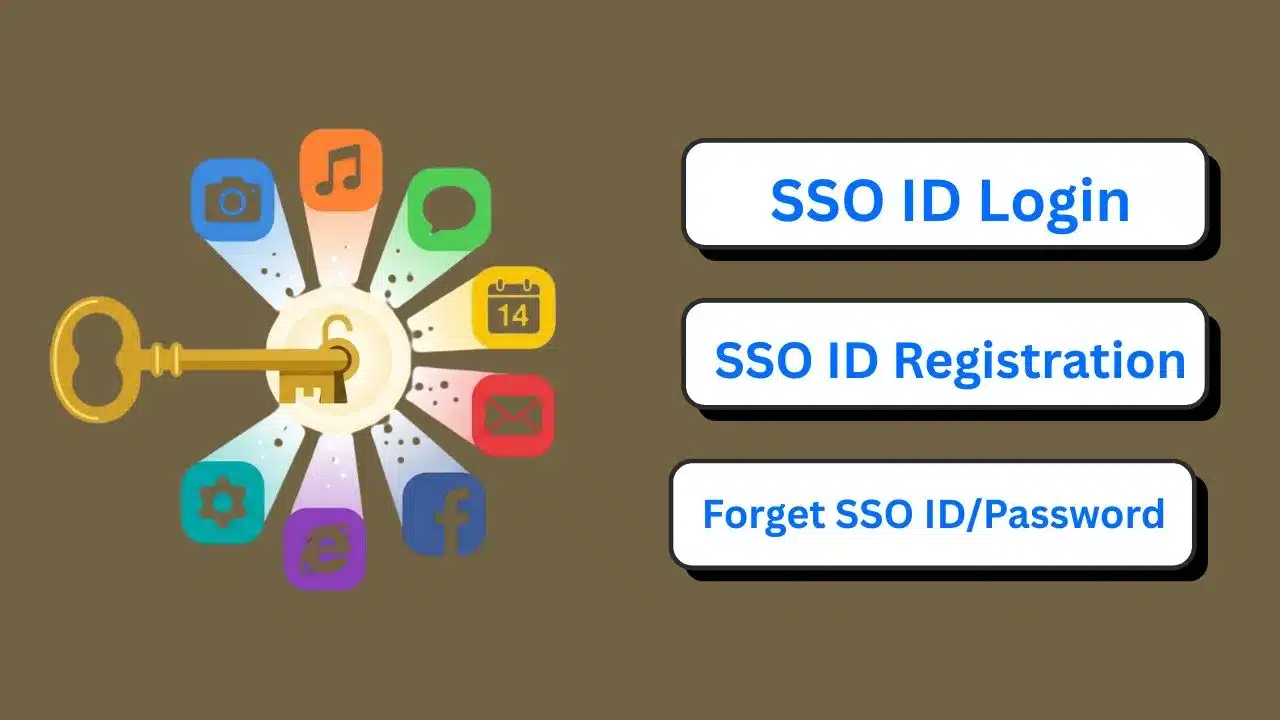
There is just one master key that unlocks all the rooms.
The Story of What Actually Happens When You Log In
There are a lot of people confused by this. When you authenticate with a single sign-on (SSO), your user name and password are sent to an identity provider. An identity provider is a central authority that knows your identity.
Your username and password are sent to the identity provider — a central authority that verifies who you are.
After the identity provider verifies your identity, it will issue an authentication token — a piece of digital information for your browser, or for the SSO provider’s servers, to keep track of your authentication status.
When you try to access another application that is part of the SSO, it will check to see if you have already been given an access token and validate it by verifying that it originates from a trusted identity provider before granting access.
Real-world example — Google
You had to log in to Google once, then open three separate applications — YouTube, Gmail, and Google Drive — without having to enter your password one more time. They are doing the same thing, they are just applying the same SSO principle behind the scenes. All of this happens within seconds so you won’t even be aware of what’s going on.
Where You’re Already Using SSO (Without Knowing It)
SSO isn’t some futuristic technology reserved for big corporations. You’re probably using it every week, maybe every day.
Where you see it every day
Many educational institutions now give students a single ID that connects their attendance system, fee portal, exam results, library account, and online classes. One username. One password. Everything flows from there.
Ask someone who works for a large company. They log in once in the morning and can then access email, HR systems, project tools, file storage and meeting platforms without typing a single password for the rest of the day. That’s SSO enabling thousands of employees to be productive.
India is increasingly adopting unified login systems such as DigiLocker, UMANG, e-Hospital and others, wherein a single verified ID gives access to multiple government services. This is a single sign-on, across the country.
Why the Old Way Doesn’t Work Anymore
Let’s be real about what people actually do when they have too many passwords. They get recycled. If you have 15 accounts, you are not coming up with 15 unique, strong passwords. There’s maybe three or four that you can remember, slight variations that you’re going through.
The recycled password pattern
It’s a very real problem. When remembering passwords becomes mentally exhausting, people take shortcuts. Those shortcuts become security risks.
How SSO fixes this
❌ Weak & recycled
raj123
✅ One strong password
MyDog@LovesMangoes2026
The Bigger Picture – Why Schools and Companies Love It
From a management side, SSO is a genuine relief. Imagine a school with 2,000 students, each with accounts on six different platforms — the learning management system, the library, the exam portal, attendance tracker, results page and school email.
The school account problem
❌ Without SSO
12,000Different accounts to keep track of. When a student graduates or a teacher resigns, somebody has to remember to close all six accounts. Forget one, and that person still has access to systems they should not.
✅ With SSO
2,000One account per person. Disable one SSO ID and all connected systems instantly lose access. No lame-duck accounts. No lingering forgotten accounts. Clean, accurate — in one step.
The business time equation
One True Weakness And What You Can Do About It
There is one weakness to SSO that is important to understand. It would be careless to ignore. That one login becomes very valuable when everything is tied into one login. If someone steals your SSO password, they get into more than just your email. They touch everything — your school account, your assignments, your personal data, your saved files, everything.
🔑 Losing one room key
A problem — but limited damage. Only one door, one room.
🚨 Losing the master key
A disaster. Every room, every system, every account — all exposed at once.
Here’s what you should actually do
Make your SSO password genuinely strong. Use a phrase instead of a word. Something that means something to you personally but would make no sense to anyone else. Length matters more than complexity.
This is the most effective step to ensure your internet security. If any individual gains your password in any possible way, he needs another code that comes to your mobile device. Since no one can access your phone, there is nothing they can do. Most systems of single sign-on (SSO) allow for 2FA.
Don’t ever tell your password to anyone. Whether it is a close relative or someone claiming to be a member of IT support. An honest administrator will never ask your password at all times.
If you work with an SSO system on a communal computer such as one in the school, public library, or Internet café, make sure you log out whenever you are done. The authentication token remains active until you log out.
A Quick Side-by-Side Look
Let’s use an example of two individuals who are managing their online environments.
The first person has separate accounts for everything. They’ve got eight passwords written on a sticky note inside their notebook. They reuse school@123 on three platforms. When they forget their library password again, they take at least 15 minutes going through the reset process. Finally, one day they share their password for one of those platforms and hacked and have all their accounts compromised.
The second person uses Single Sign On. They have one good password that they have never written down anywhere. They log in in the morning. Every app they need opens without a hitch. When they are ready to change their password, they change it once and it’s updated everywhere. They have never had a password reset in months.
Where SSO Is Headed
The future of SSO is already showing up in some places. The direction is clear — away from passwords entirely.
Biometrics are slowly but surely entering the SSO process. You have your fingerprint, you have your face, and you have your voice, which can act as an authenticator and one that is exclusively yours and almost impossible to steal. Most phones nowadays use facial recognition as a way of signing into your device.
Passkeys are another emerging standard that several major companies have already adopted. They replace passwords with cryptographic keys tied to your device, making phishing effectively impossible. When combined with SSO architecture, this creates a login experience that is both smoother and more secure than anything we’ve had before.
The Final Word
The internet has too many doors. For too long, we’ve been carrying a messy keychain full of passwords we half-remember, reuse too often, and reset too frequently. It was never a good system. It just became the default one. SSO ID changes that. One identity. A single login. One password for everything. The technology behind it is complex: tokens, identity providers, trust protocols. The experience it enables is simple. You come in, you’re identified, you work. Do those things and SSO stops being a convenience and becomes something much more valuable – a genuinely secure way to navigate the digital world without losing your mind over passwords. Just remember what that one key means. Guard it properly. Make it strong. Turn on that second verification step. And never leave your session open on a machine that isn’t yours.